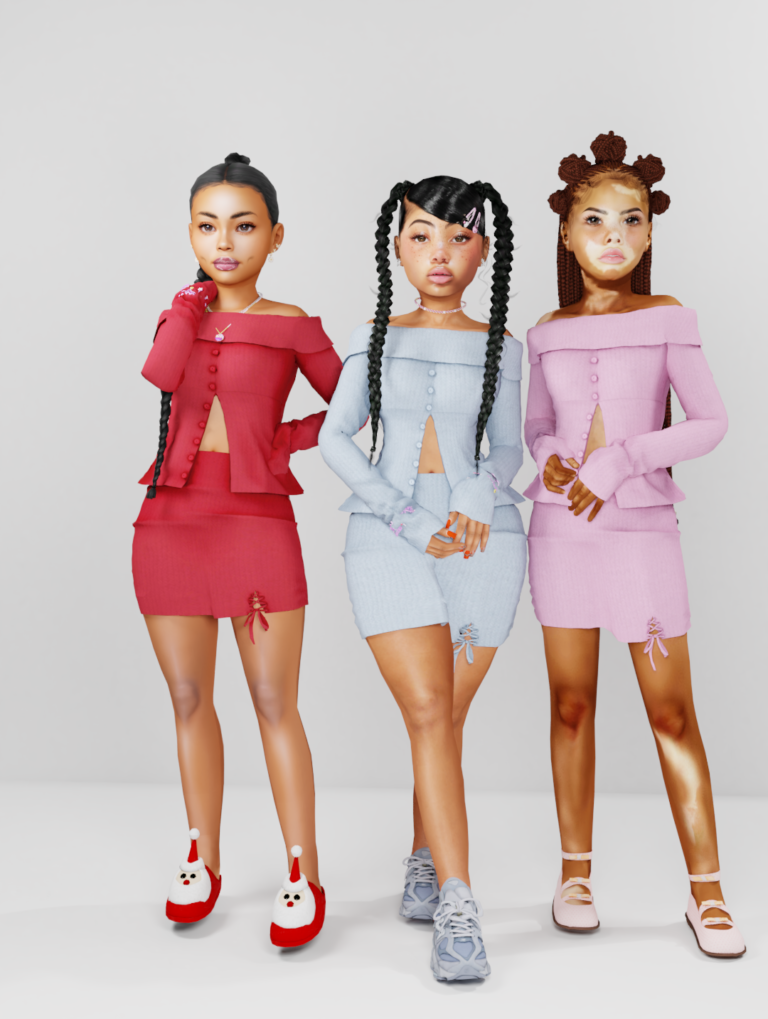
Looking for Sims 4 kids CC that helps you tell a family story? This collection brings together rustys_cc’s Everett formal suit and seven public child-focused pose packs by Simsxen. There’s something for a special occasion, school lunch, studying with friends and a cozy sleepover.
The suit is wearable clothing. The poses help you arrange Sims for screenshots and storytelling; they do not add new gameplay interactions. Pick the scene you want to create, then check the required accessories before downloading. Some packs include their props, while others link to a separate creator.
Checked October 14, 2026: the seven Simsxen packs have public download attachments, and Everett has a standard TSR download page. The dates below are the original post dates. These finds have not been tested in-game for this article.
1. Everett Suit for Child
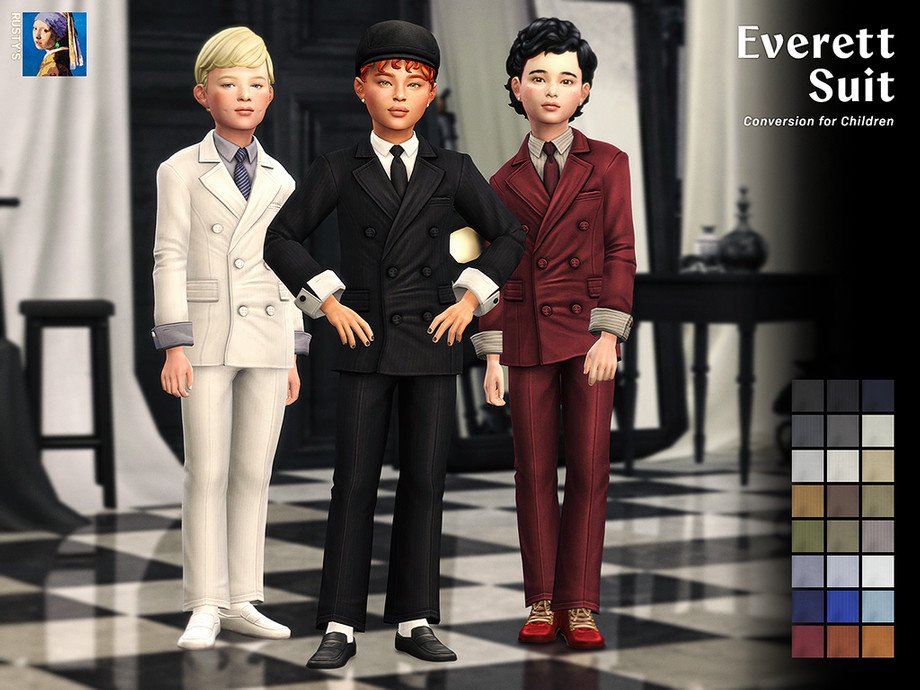
A dressed-up child outfit is useful when your family story calls for a wedding, celebration or special portrait. Everett gives your child Sim a classic six-button suit, making it an easy starting point for a formal look. Pair it with your preferred shoes and hairstyle, then choose a setting that suits the occasion. The clothing is by rustys_cc, separately from Simsxen’s pose packs below.
Details and requirements: Listed for male child Sims in the Formal category. TSR lists an 8 MB file, medium polycount and zero required items. Use the standard TSR download option; VIP download conveniences are optional.
Original post date: September 16, 2026.
2. Late Night Whispers (Kids)
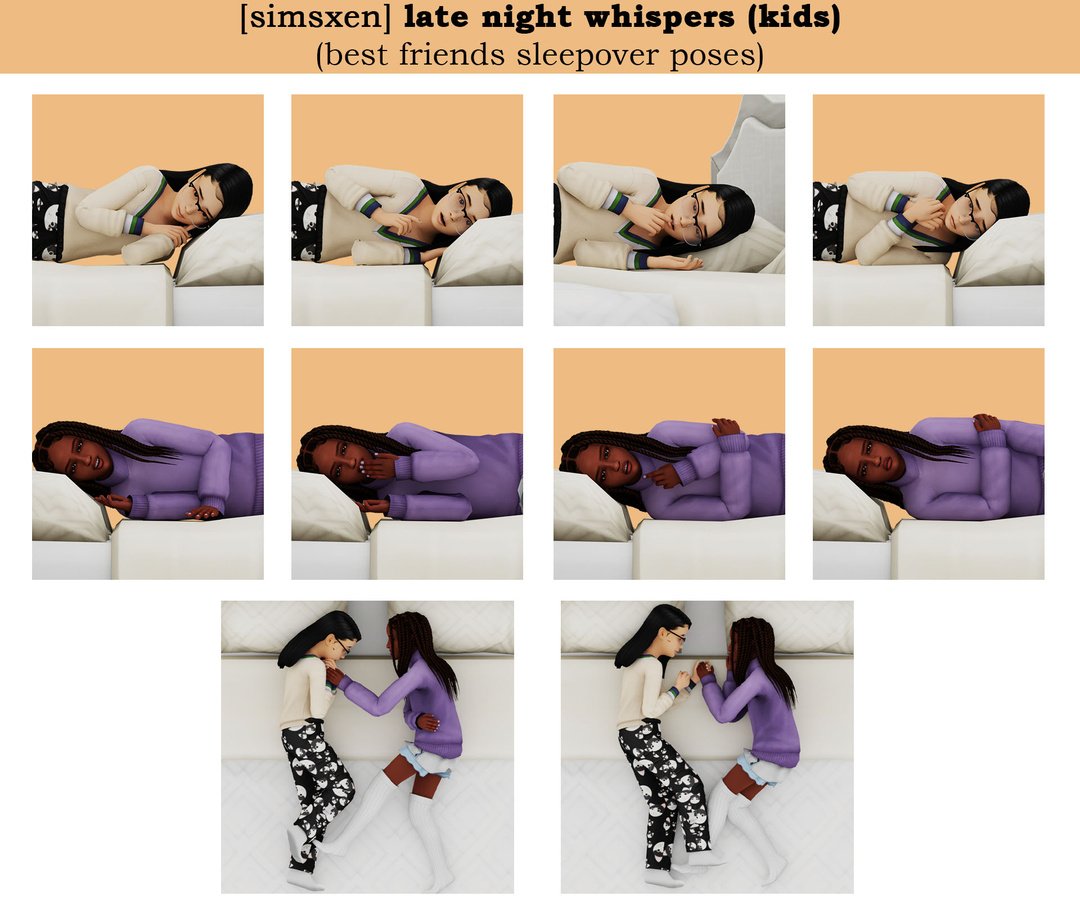
Give a sleepover scene a little more personality with two children sharing a quiet conversation on the bed. These poses can help you capture friendship moments between the bigger events in a family storyline. Set up a cozy bedroom, dress the children in your favorite pajamas and frame the shot around their expressions. This is a sweet option for a story about close friends or siblings spending time together.
Details and requirements: Includes six poses for two child Sims on a bed. Requires Andrew’s Pose Player and Teleport Any Sim.
Original post date: May 29, 2025.
3. Emotions With a Book
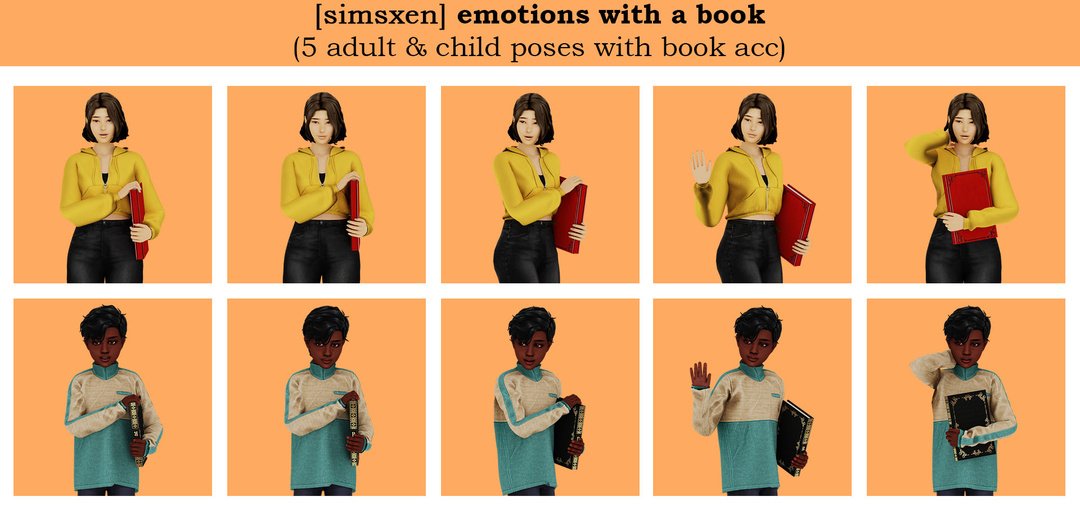
A book can be more than background clutter in a Sim story. This pack gives you a way to stage a reader’s reaction, whether you’re building a classroom scene, a quiet library moment or a child’s reading corner. The separate adult and child versions make it useful across a household. Try keeping the camera close enough to show the expression while leaving the book visible in the frame.
Details and requirements: Includes five single adult poses and five single child poses. Download the included child book accessory. The adult book accessory is linked through Simsxen’s Cool Teacher post. Requires Pose Player and Teleport Any Sim.
Original post date: May 22, 2025.
4. Walk in Pajamas (Kids)
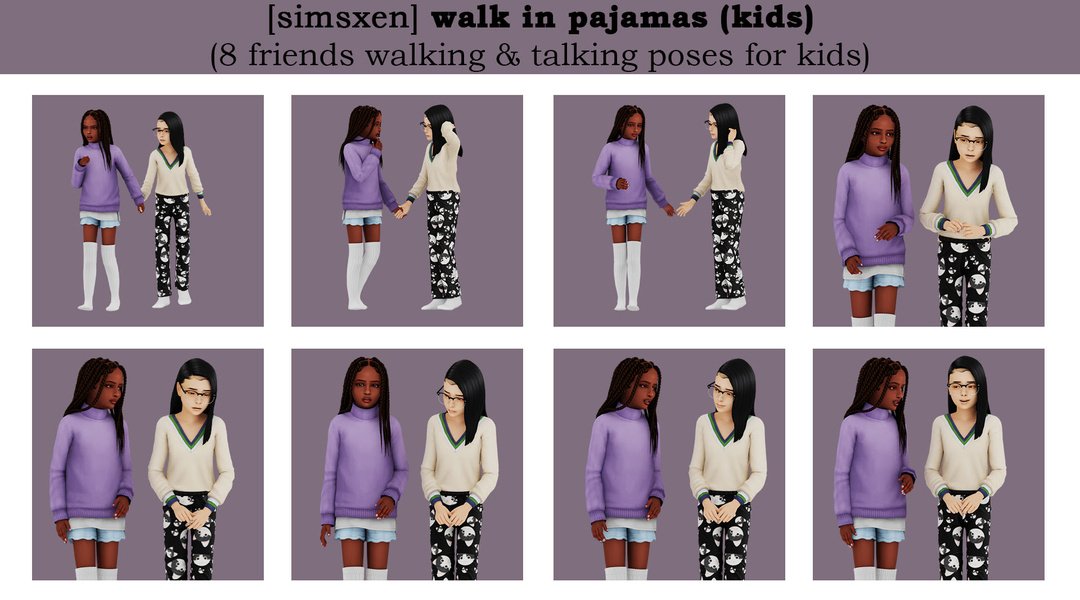
For a sleepover story that moves beyond the bedroom, this walking-and-talking pack helps you stage two children spending time together. It’s a useful companion to the bed poses above: you can build a sequence of screenshots that feels like one evening rather than a collection of unrelated portraits. Choose a hallway or another simple setting, and keep the children’s outfits consistent between shots for an easy sense of continuity.
Details and requirements: Includes eight poses for two child Sims. Requires Pose Player and Teleport Any Sim. These are staged poses, not a walking gameplay interaction.
Original post date: May 16, 2025.
5. Oopsie-Candy
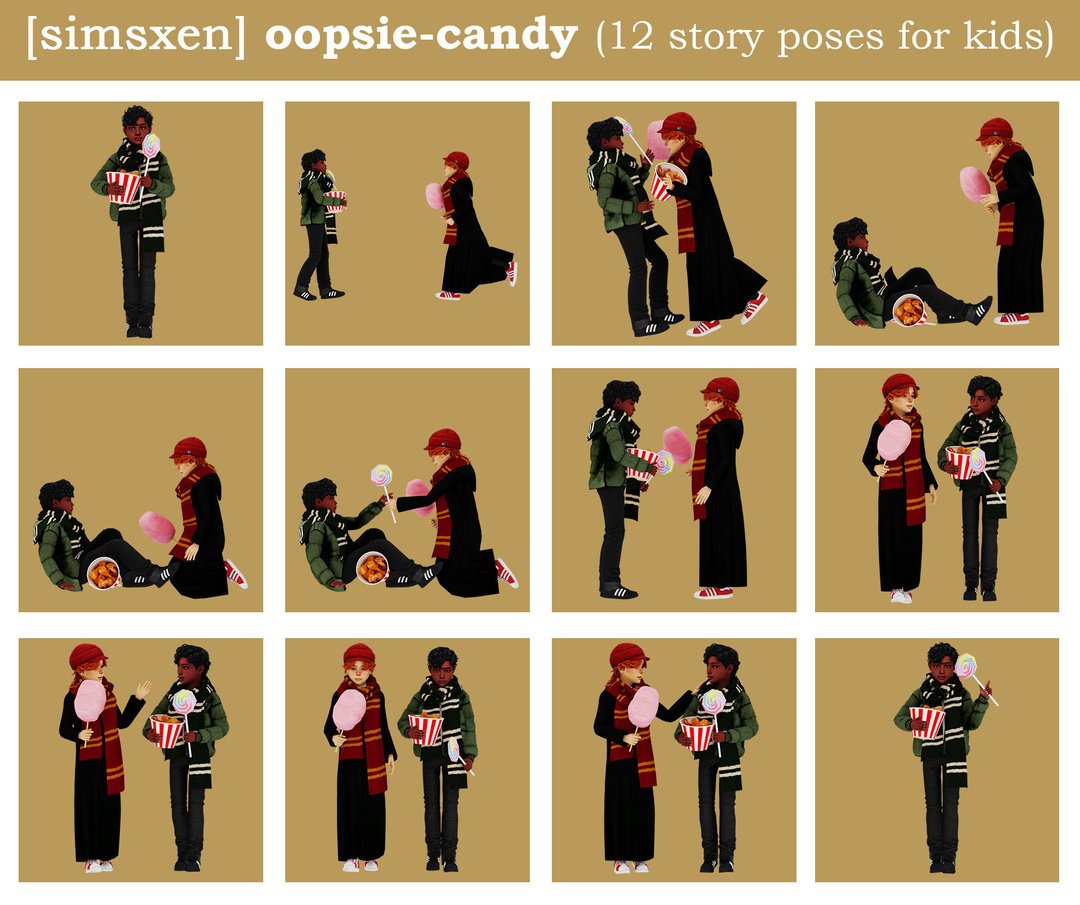
Small mishaps can make a children’s storyline feel much more lively. Oopsie-Candy offers single and paired child poses built around snack accessories, giving you material for an outing or a playful friendship scene. Use the creator’s preview to plan the moment you want to capture, then gather the matching props before arranging your Sims. It works especially well as a short scene within a larger day-out story.
Details and requirements: Required props: Big Lollipops by A-luckyday, plus cotton candy and chicken bucket accessories by green. Follow the accessory links and setup notes in Simsxen’s post.
Original post date: May 11, 2025.
6. Cafeteria (Child)
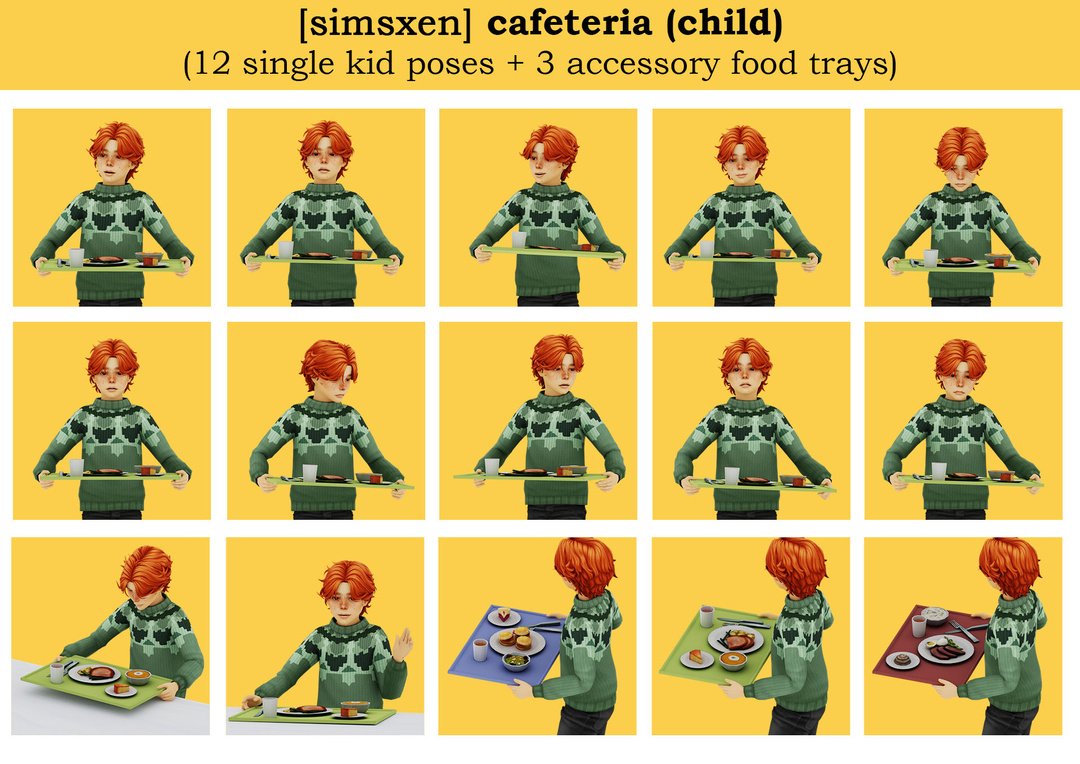
Lunch scenes are a handy way to show what happens between classes in a school story. This child version of Simsxen’s cafeteria set combines poses with food tray accessories, so you can arrange your own school-lunch screenshots. Build a simple dining area and use different camera angles to establish the space and then focus on the child. The trays are posing accessories, so plan the scene around a still image.
Details and requirements: Includes twelve single poses and three food tray accessories. The trays are in the Hat category and have one swatch each. Requires Pose Player and Teleport Any Sim.
Original post date: March 27, 2025.
7. Study Session (Kids)
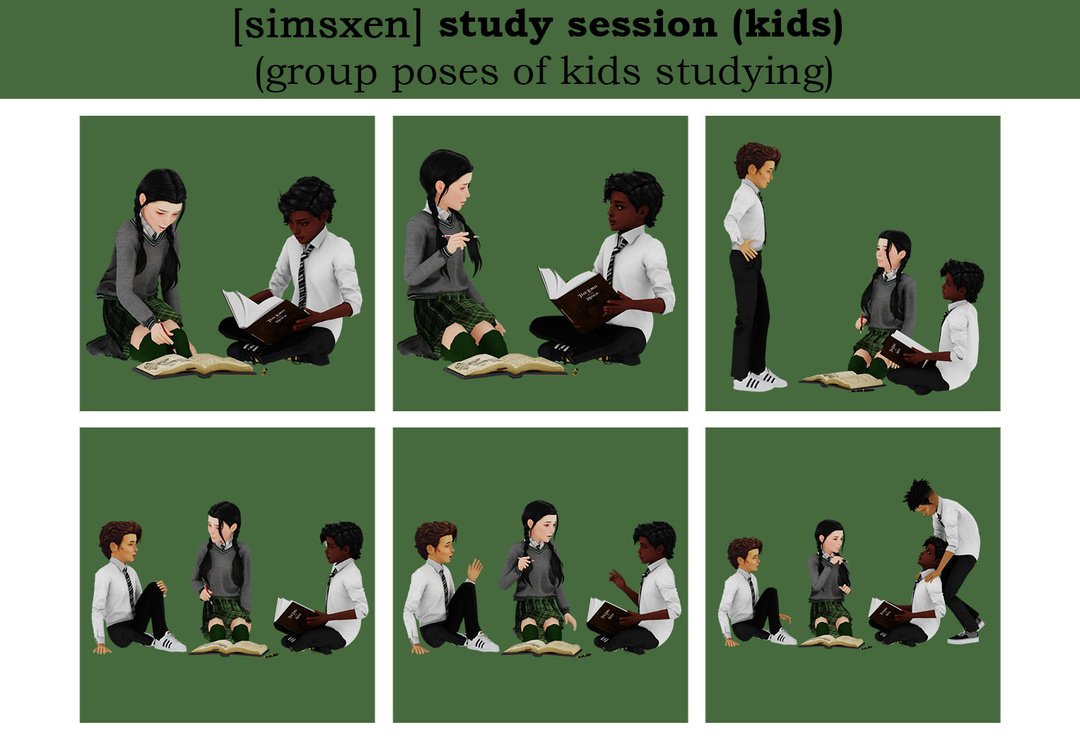
Bring a group of school friends into the same frame with these studying poses. The different group sizes give you options for a small pair or a busier shared study scene. You could use them to illustrate an after-school gathering, a library session or a homework chapter in your family story. Set out the right accessories first, then choose the group arrangement that fits the number of children in your scene.
Details and requirements: Six group arrangements: two for two Sims, three for three Sims and one for four Sims. Requires the book accessory by Mel Bennett and the linked pen accessory. The floor book used in the creator’s renders is optional.
Original post date: February 16, 2025.
8. Emotions Seated (Kids)
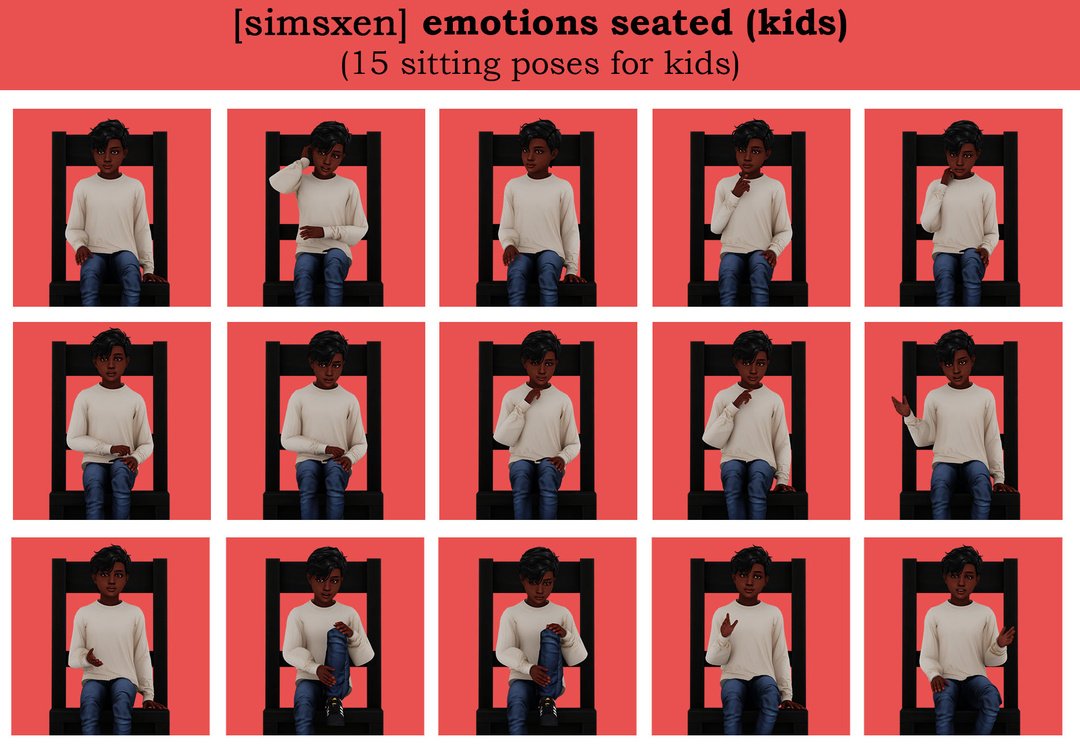
Sometimes a story needs a reaction shot more than a big action scene. This seated emotion pack gives you a collection of single child poses to choose from when staging conversations or quieter moments. It can help break up a sequence of group shots and draw attention to one child’s response. Choose a suitable seat, keep the background simple and use the expressions to support the story you’re telling.
Details and requirements: Includes fifteen single seated poses for child Sims. The creator lists Andrew’s Pose Player as a requirement.
Original post date: November 10, 2024.
Pose Requirements and Installation
Start with the setup links on each creator’s page. Several packs explicitly require Andrew’s Pose Player and Teleport Any Sim. Follow their original installation instructions and check for updates after game patches.
- Download the clothing or pose package from the linked original post.
- Collect the matching accessories for the pose pack you chose, using the correct child or adult version.
- Extract ZIP files and place the package files in
Documents/Electronic Arts/The Sims 4/Mods. Follow the pose tools’ instructions for any script files. - Enable Custom Content and Mods, and enable Script Mods if required by your pose tools. Restart the game.
- Follow the creator’s positioning notes, select the poses and check the shot for clipping before taking screenshots.
No current patch-compatibility statement was provided for these pose packs in the linked posts. Keep your pose tools updated and test the setup in a separate save. Clothing, body proportions, furniture and accessories can affect how a pose looks.
Which scene would you make first: a dressed-up family portrait, a school day or a sleepover with best friends? Save your favorite creator links so you can return to their setup notes when you’re ready to stage the scene.
Creator credits: Everett Suit by rustys_cc; pose packs and their official previews by Simsxen. Accessory credits include A-luckyday, green and Mel Bennett. All download buttons lead to the original pages.