Want to give your Sims a recognizable character-inspired wardrobe? These two free Sims 4 outfit recolor sets by Ratinher bring Toy Story and Euphoria into Create a Sim. Together, their public posts offer eight individual clothing and accessory recolor files.
Access checked October 14, 2026: the individual recolor attachments are public. Complete character Sims and tray files have separate collection pages; their access is separate from the clothing featured here.
1. Toy Story Outfit Recolors
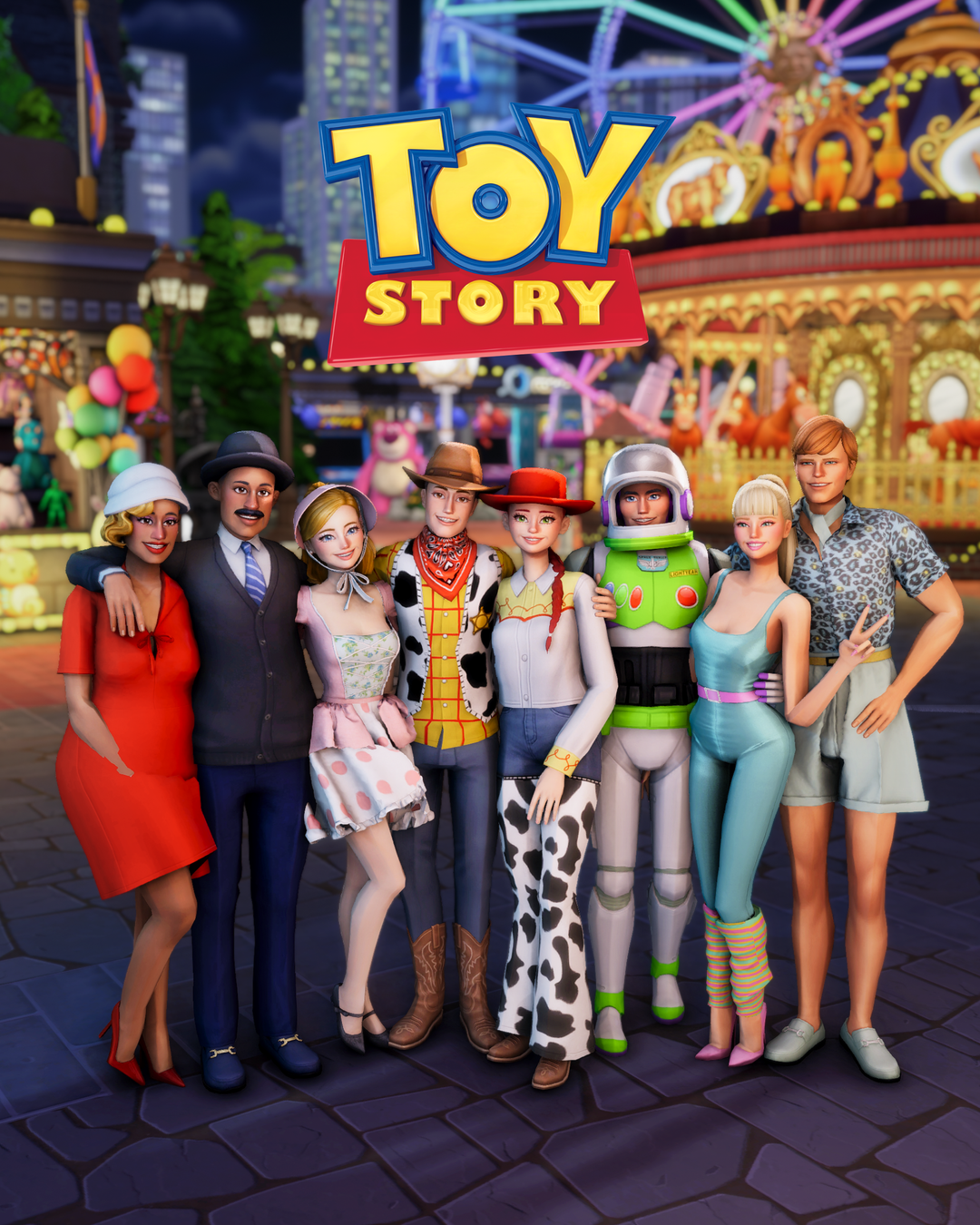
This set is a playful starting point for a themed household, costume party or character photoshoot. Build a Jessie-inspired outfit from the shirt and pants, or choose the Woody shirt and Buzz Lightyear pieces for a different member of your cast.
Public individual files: Jessie Shirt, Jessie Pants, Woody Shirt, Buzz Lightyear and Buzz Lightyear Hat. Download the required Jessie meshes linked below alongside those recolors.
2. Euphoria Outfit Recolors
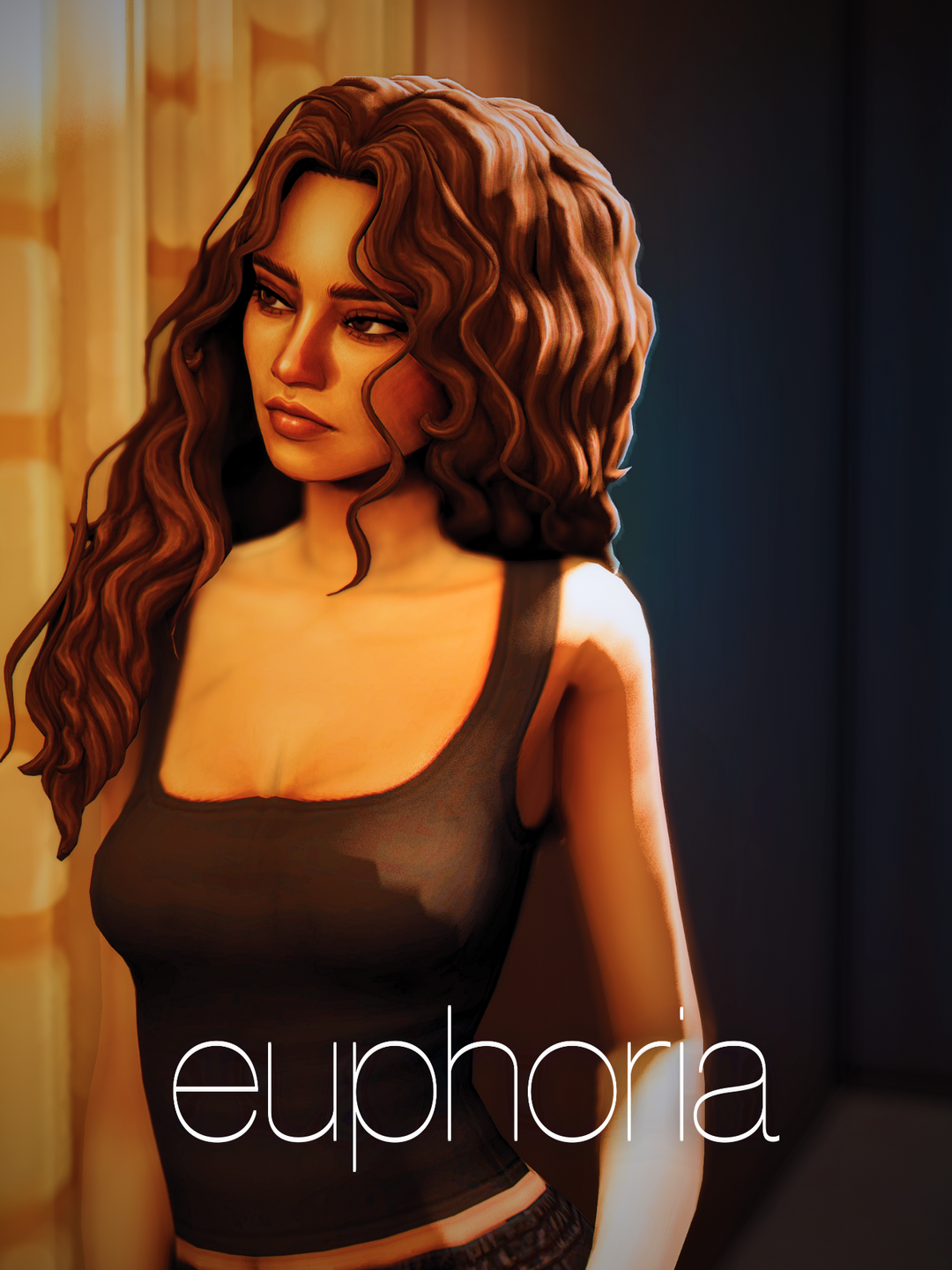
For a more contemporary character wardrobe, this small set offers Rue’s hoodie alongside Maddy-inspired separates. Use the hoodie in a relaxed everyday outfit, then pair the top and pants for a coordinated look. Add your own hair, makeup and accessories to make the character inspiration your own.
Public individual files: Rue Hoodie, Maddy Top and Maddy Pants. All three require their original meshes, so download both the recolor and its matching base item.
Required Original Meshes
Recolors change an existing item’s appearance. Keep the original mesh installed so the new version can display correctly.
| Ratinher recolor | Original mesh and creator |
|---|---|
| Jessie Shirt | Alessi Top — Serenity’s Canela Set |
| Jessie Pants | Rachel Jeans — AxA 2020 by aharris00britney and Ayoshi |
| Rue Hoodie | Ken Zipped Hoodie — jellymoo |
| Maddy Top | Sport Shirt — Caio’s Physical Collection |
| Maddy Pants | Legging Pants — Caio’s Physical Collection |
These original mesh posts have public downloads and describe their items as base game compatible. Ratinher does not list additional meshes for the other Toy Story files in the linked post. A current game-patch compatibility statement for the recolors was not provided, so test them in Create a Sim before using them in your main save.
How to Install the Recolors
- Open the creator buttons above and select the individually named Ratinher
.packageattachments. - Download each required original mesh from its creator’s page.
- Place the package files in
Documents/Electronic Arts/The Sims 4/Mods. Extract any ZIP containing the original meshes first. - Enable Custom Content and Mods in Game Options, restart the game, and check the items in Create a Sim.
Choose the individual clothing files to build this wardrobe. Visit Ratinher’s separate character collections if you also want complete Sims or tray downloads, and check their access conditions there.
Creator credit: recolors and character previews by Ratinher; required original meshes by Serenity, aharris00britney, Ayoshi, jellymoo and Caio.