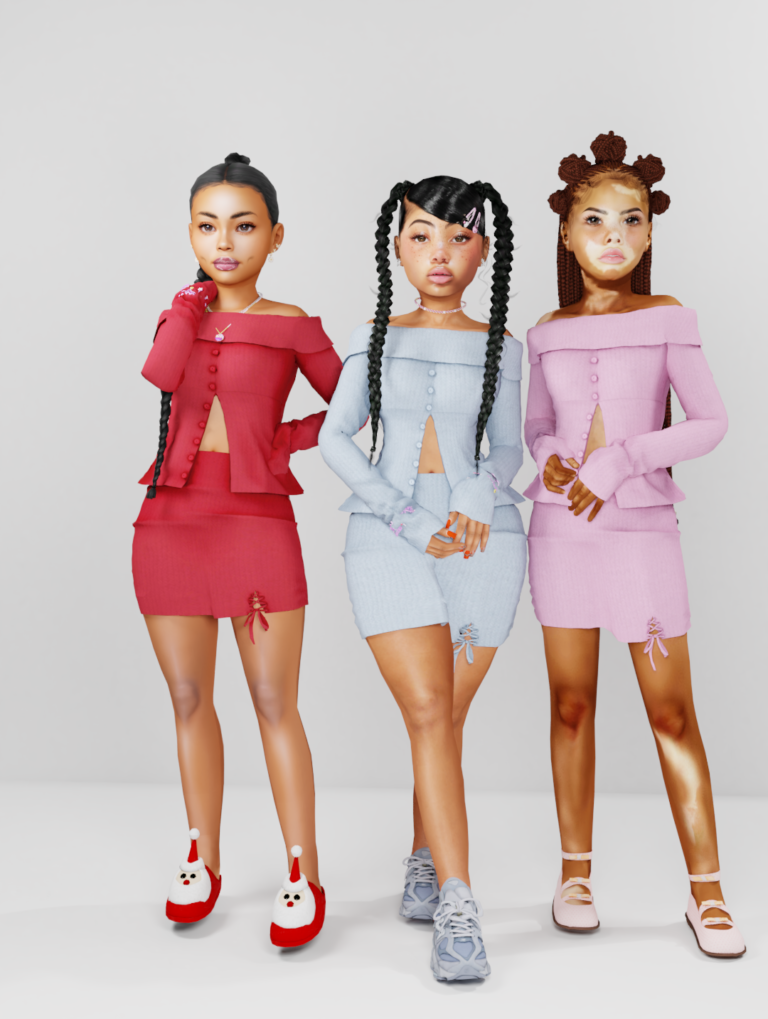
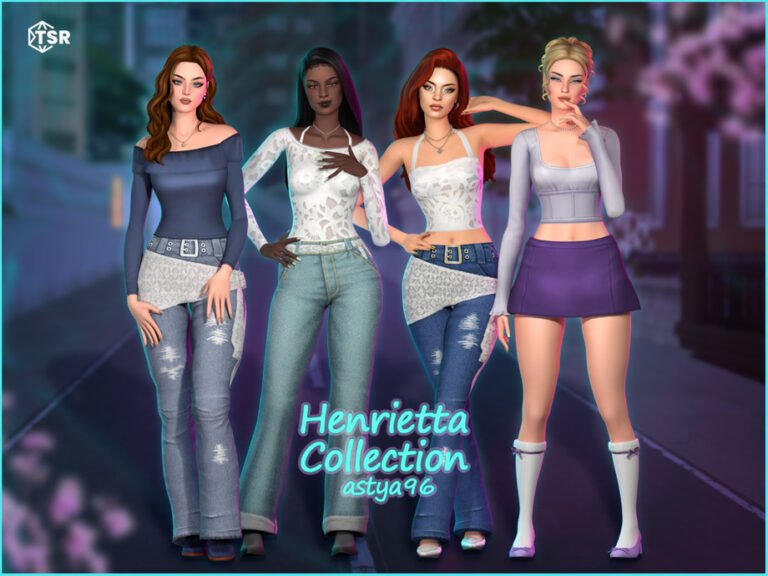
If you are looking for new things to add to your Sims 4 saves, these seven finds bring together child and toddler conversions, a playful interface override, and two ready-made Sims. The roundup features Waterlily, Darkwaifu, and MOIA, with links to the original creator pages so you can see their work and choose the downloads that fit your game.
Waterlily’s child conversions are especially useful for family saves, with textured hair, a Gracie hairstyle, and an oversized shirt. There is also a toddler hair collection. These files require original meshes, so I have included the relevant links and notes instead of treating the conversions as standalone downloads. The availability of one toddler mesh could not be confirmed when this post was checked.
Darkwaifu’s Coot Wrench Overrides bring character-themed choices to the custom-content icon in CAS. That particular Patreon post requires a free membership to unlock; it is labeled in the section below. MOIA’s Avery Gomes and Gina Bloom are publicly linked Sim downloads with Tray and CC files. The creators’ pages are the right place to check their individual terms and download instructions.
Access and links were checked on October 29, 2026. Preview images are credited to their creators. Where a preview is not displayed here, the button takes you to the original post to see it. These are existing releases rather than claims of brand-new content, and compatibility after later Sims 4 updates can change.
For hair conversions, download the matching original creator mesh before the child or toddler file. For premade Sims, follow the creator’s instructions for the Tray and Mods folders. Keep the creator names in your filenames to make it easier to identify pieces when updating your game.
In This Roundup
- Sheabuttyr Child Hair Conversions — waterlily
- Gracie Child Hair Conversion — waterlily
- Oversized Shirt Child Conversion — waterlily
- Toddler Hair Dump — waterlily
- Coot Wrench Overrides — Darkwaifu
- Avery Gomes — MOIA
- Gina Bloom — MOIA
1. Sheabuttyr Child Hair Conversions
Creator: waterlily
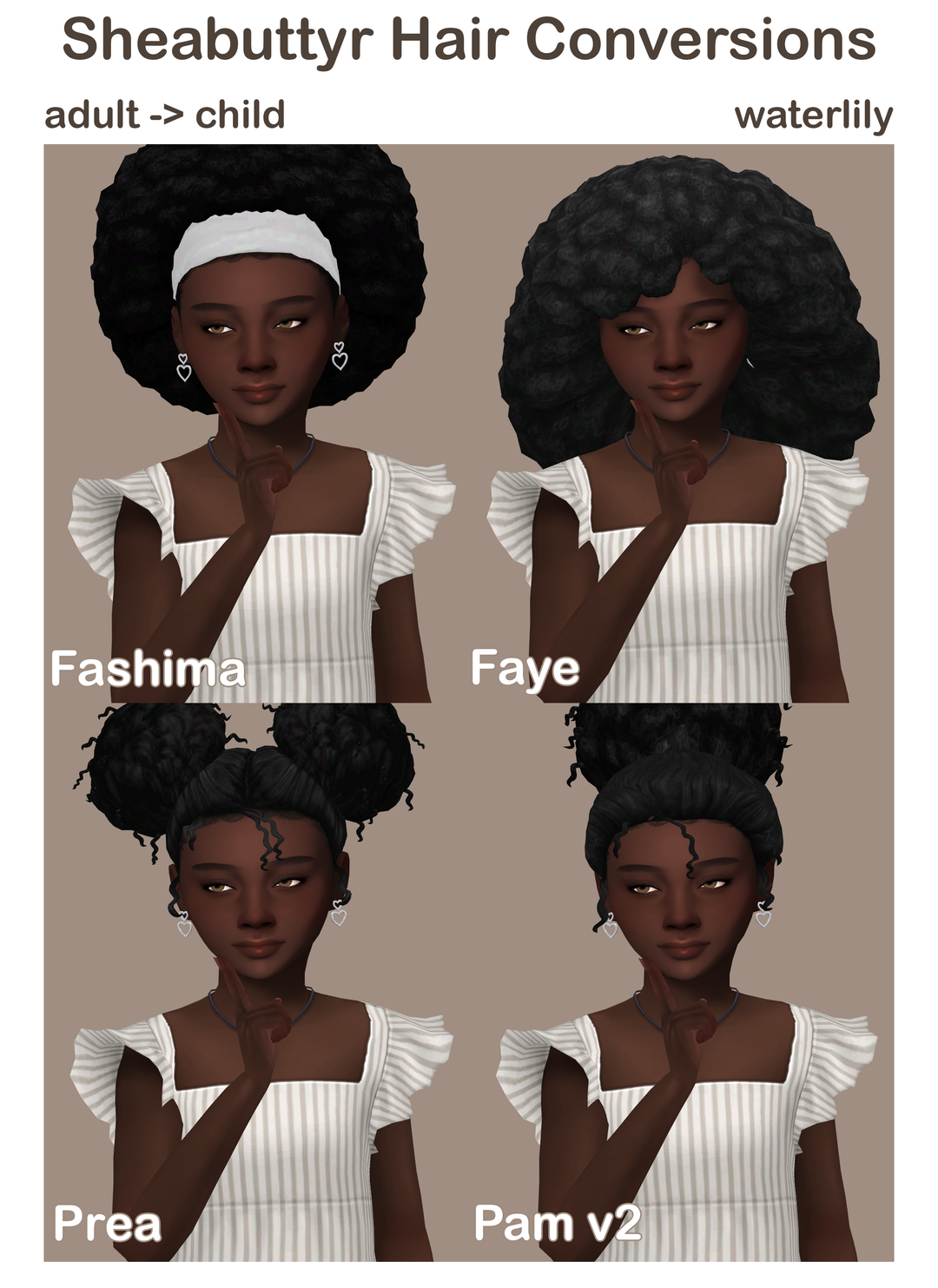
These child hair conversions bring several of Sheabuttyr’s afro and puff styles to younger Sims. Waterlily’s files include Fashima, Faye, Pam, and Prea, along with a Fashima headwrap accessory. They are a lovely way to add textured hair options to a family save. The conversions need the matching original adult meshes from Sheabuttyr’s Afro Collection, so download those first and then add the child files you want.
Download notes: Child conversions require the matching Sheabuttyr Afro Collection meshes.
View Preview and Download from Creator
2. Gracie Child Hair Conversion
Creator: waterlily
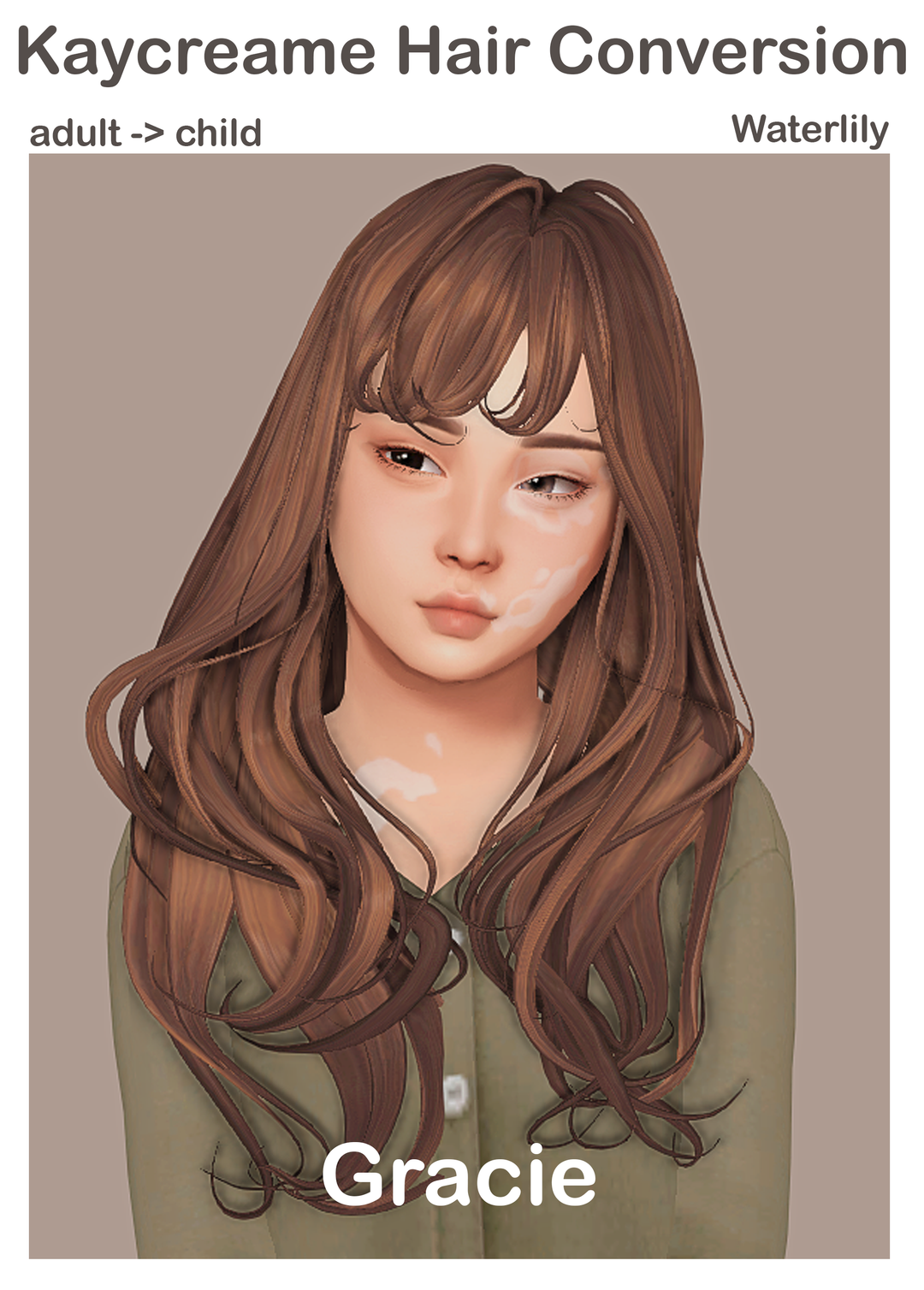
Waterlily’s Gracie conversion brings Kaycreame’s hairstyle to child Sims. It is a handy find when you already enjoy the original and want a similar look for a younger family member. The original Gracie package is a required mesh, so this is a two-step download: get Kaycreame’s hair, then add Waterlily’s child conversion. Both creator pages are linked here, making it easier to keep the files together when organizing your Mods folder.
Download notes: Requires Kaycreame’s original Gracie mesh.
View Preview and Download from Creator
3. Oversized Shirt Child Conversion
Creator: waterlily
This oversized shirt combines an original mesh by Dogangje, recolors by Kaycreame, and Waterlily’s child conversion. It is a useful option for a relaxed everyday outfit, and you can style it with bottoms and shoes from your existing collection. Waterlily says the original mesh is required; Kaycreame’s linked post offers the mesh alongside the recolor. The animated creator preview can be viewed on Waterlily’s original page.
Download notes: Requires the original Dogangje mesh, linked on Kaycreame’s recolor page.
View Preview and Download from Creator
4. Toddler Hair Dump
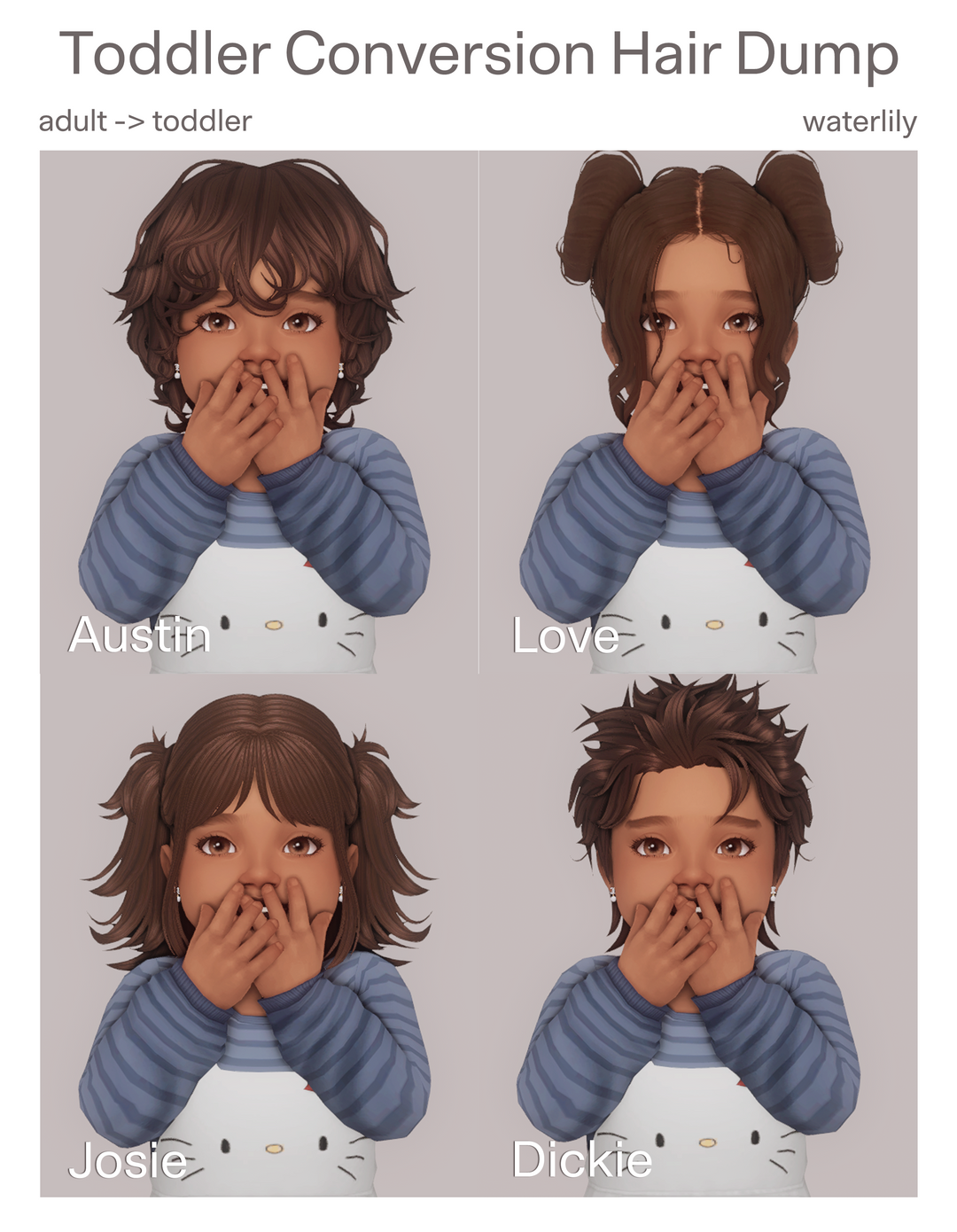
Creator: waterlily
Waterlily gathered four toddler conversions based on hairstyles by Peachibunnii, LamaLama, and ThatOneGreenLeaf. The package names identify Austin, Dickie, Josie, and Love, giving you several choices for a toddler wardrobe. Each style requires its original mesh, linked on the creator’s post. The original Josie link could not be verified during this check, so check it yourself before choosing that version; the other linked originals were accessible.
Download notes: Each hairstyle requires its matching original mesh; find the four creator links on Waterlily’s post. Availability of the Josie mesh could not be confirmed at the time of checking.
View Preview and Download from Creator
5. Coot Wrench Overrides

Creator: Darkwaifu
Darkwaifu’s Coot Wrench collection offers decorative replacements for the custom-content wrench icon, with character, heart, star, and strawberry-themed options listed on the creator’s page. This is a visual override for your interface rather than a hairstyle or outfit. The post is locked to free Patreon members, so readers need to join that free tier to access the files. The creator also lists a patch-specific archive, making it important to check the current instructions before installing.
Download notes: A free Patreon membership is required to unlock the download. The creator lists multiple override files and a patch-specific archive; check the creator’s instructions for your current game version.
View Preview and Download from Creator
6. Avery Gomes
Creator: MOIA
Avery Gomes is a premade Sim shared by MOIA as a free gift. The creator links a ZIP containing Tray and custom-content files and explains where each belongs in The Sims 4 folders. MOIA created the Sim and credits the individual CC creators for the included custom content. Visit the original post to see Avery’s preview and read the creator’s terms before downloading or sharing screenshots of your game.
Download notes: Public Sim download • Tray and CC files in the creator’s linked ZIP. Preview available on MOIA’s post.
View Preview and Download from Creator
7. Gina Bloom
Creator: MOIA
Gina Bloom is another free premade Sim from MOIA, offered with a linked ZIP of Tray and CC files. This can be useful if you enjoy adding a ready-made character to a save instead of building every Sim from scratch. Place the extracted Tray files in your Tray folder and the CC in Mods as the creator instructs. MOIA credits the CC creators separately and asks that her Sims and art not be reuploaded.
Download notes: Public Sim download • Tray and CC files in the creator’s linked ZIP. Preview available on MOIA’s post.
View Preview and Download from Creator
Before You Install
Follow the original creators’ instructions and check their latest updates. For MOIA’s Sims, put extracted Tray files in the Tray folder and custom content in Mods, then enable custom content in your game. MOIA asks that her Sims and art not be reuploaded.