Sims 4 Copperdale High School Lots | School & Auditorium Downloads
If you want to completely change the look of your teen Sims’ school, these Sims 4 Copperdale High School downloads give you new school builds to use instead of the default lot. 💗 This roundup currently includes Charmy’s Copperdale High School #2 and Nocturne’s Copperdale High School and Auditoriums, along with an additional MalinDesigns preview image that still needs its matching download link.
These are different from normal furniture or CAS downloads. School builds can contain Tray files, custom content, and creator-specific requirements, so it is important to check the extracted folders before placing everything into Mods.
I kept each school separated below so you can see which download belongs to which preview. The Nocturne file is also specifically labeled as including High School and Auditoriums, which makes it a larger lot download than a single school build.
🏫 Charmy – Copperdale High School #2
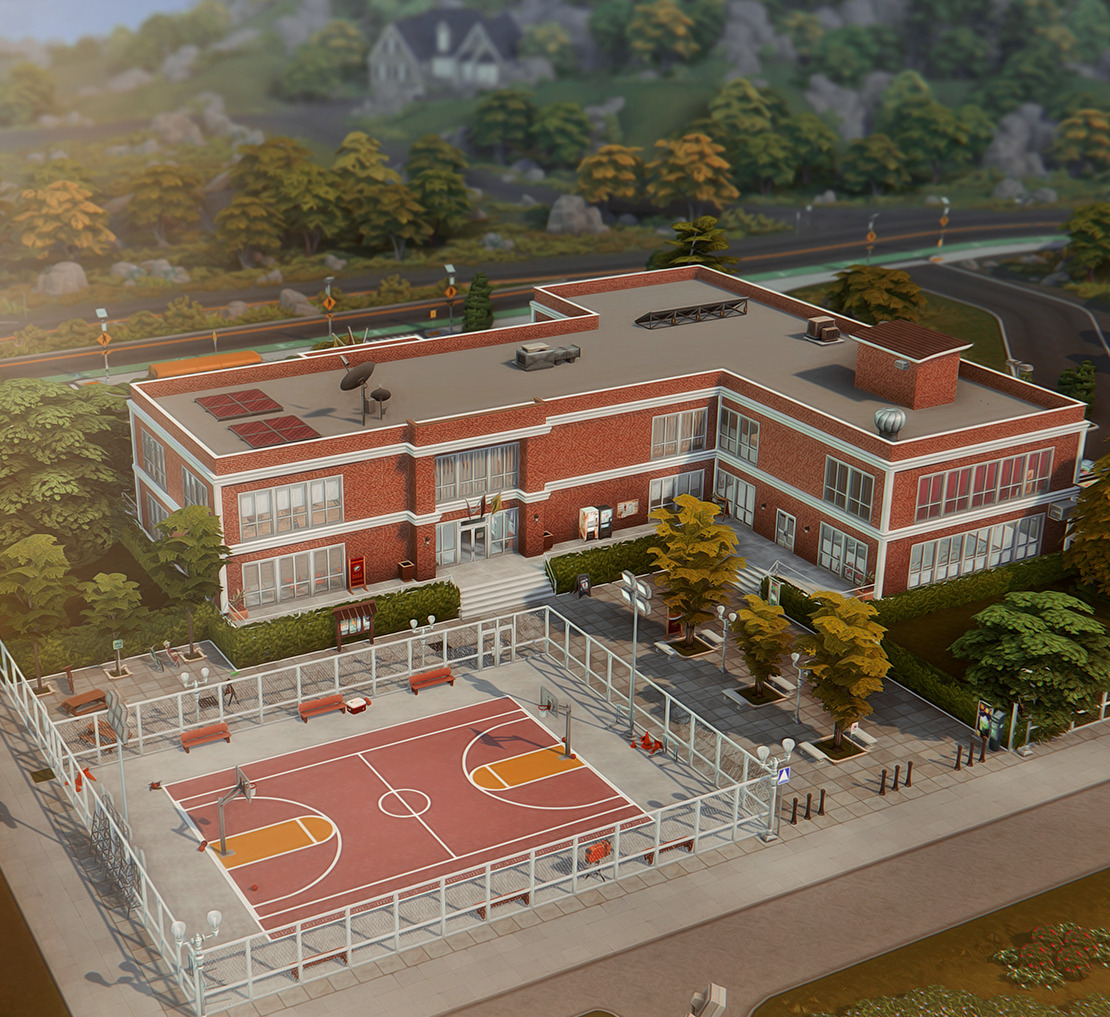
Copperdale High School #2 by Charmy is a replacement school build for Copperdale. The #2 in the title is important because it identifies this as a specific version of the creator’s school build rather than simply a generic Copperdale High School download.
The three supplied preview images show different areas of the same school build, so I have kept them together instead of separating them into unrelated sections.

Copperdale High School 2 by Charmy Sims

Copperdale High School 2 by Charmy Sims

🏫 Download Copperdale High School #2
🎓 Nocturne – Copperdale High School and Auditoriums
The Nocturne Copperdale High School and Auditoriums download is especially useful because the filename tells us that it includes more than just the school itself. The ZIP is specifically labeled as containing the High School and Auditoriums.
That distinction matters because Copperdale school gameplay uses both the main high school and auditorium spaces for different teen activities and events. Keep all files from this download together until you have checked which Tray files belong to the school and which belong to the auditorium builds.
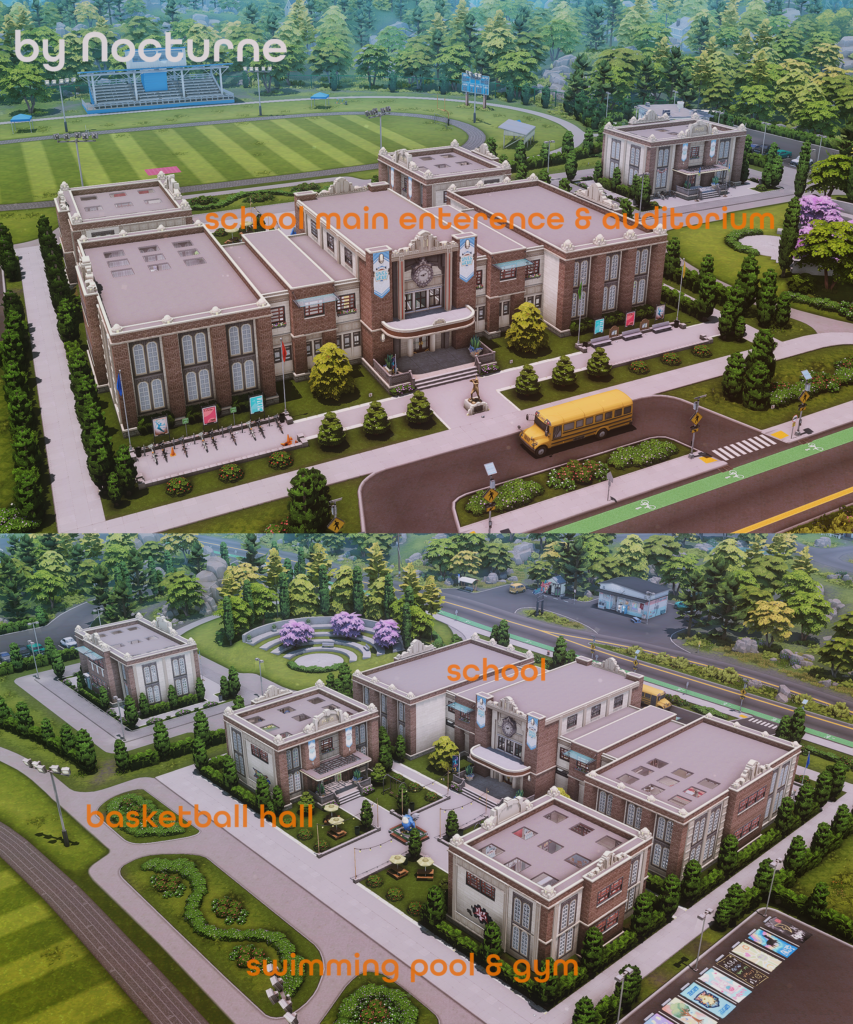
🎓 Download Copperdale High School & Auditoriums
✨ MalinDesigns High School Preview
You also supplied this MalinDesigns preview image. I have kept it in the post, but there was no matching download URL or full set title included with the HTML you gave me.
Rather than guessing which MalinDesigns school or lot this belongs to, I am leaving the preview here until the correct download link is added.

Download link not supplied yet.
📦 What You’re Downloading
There are currently 2 confirmed downloadable Copperdale school ZIP files in this post. Charmy’s download is specifically Copperdale High School #2, while Nocturne’s ZIP is labeled as containing Copperdale High School and Auditoriums.
The MalinDesigns image is included as a third preview, but it is not counted as a downloadable lot yet because its matching URL was not provided.
📁 How to Install Sims 4 High School Lots
Lot downloads are different from normal hair, clothing, or furniture CC. Start by downloading and extracting the ZIP file.
If the folder contains files such as .trayitem, .blueprint, or other Tray-related files, place those inside:
Documents → Electronic Arts → The Sims 4 → Tray
If the creator also included .package custom content, those files normally go inside:
Documents → Electronic Arts → The Sims 4 → Mods
After installing the lot, open your Gallery or Library and make sure Include Custom Content is enabled if the build does not immediately appear.
⚠️ Important Lot & CC Reminder
Do not place every file from a lot ZIP directly into the Mods folder. Tray files and package files have different installation locations, so check the extracted contents first.
School builds can also use objects from expansion packs, game packs, kits, or custom content. The information supplied here does not give a complete pack or CC requirement list for either download, so check any included creator notes if objects are missing after placement.
If a downloaded school appears without some furniture or decorations, that usually means the build used content you do not currently have installed rather than the entire lot being broken.
💖 You May Also Like
Sims 4 School CC
|
Sims 4 Lots
|
Sims 4 Teen CC
|
Build & Buy CC
✨ Keep Browsing
High School Finds
|
Community Lots
|
Furniture CC
|
More Sims 4 CC Finds