Looking for free StarrySimsie Sims 4 pose packs to bring more personality to your screenshots? These seven finds cover small everyday moments, reflective scenes and time spent together. There are solo poses for a phone call or a quiet pause, plus study and couple packs for building a more connected story.
Each selection below links to StarrySimsie’s original public post, where you can find the download and required accessories. These are older releases worth discovering, rather than a list of new uploads. Public access and the creator-linked download listings were checked on October 7, 2026. The official previews are credited to the creator so you can compare the scenes before choosing what fits your save.
In This Roundup
- Seated Phone Call 2
- Lost In Thought
- Study Buddies
- Museum Date
- Getting Ready MINI
- You & Me
- Time Together
1. Seated Phone Call 2 Pose Pack
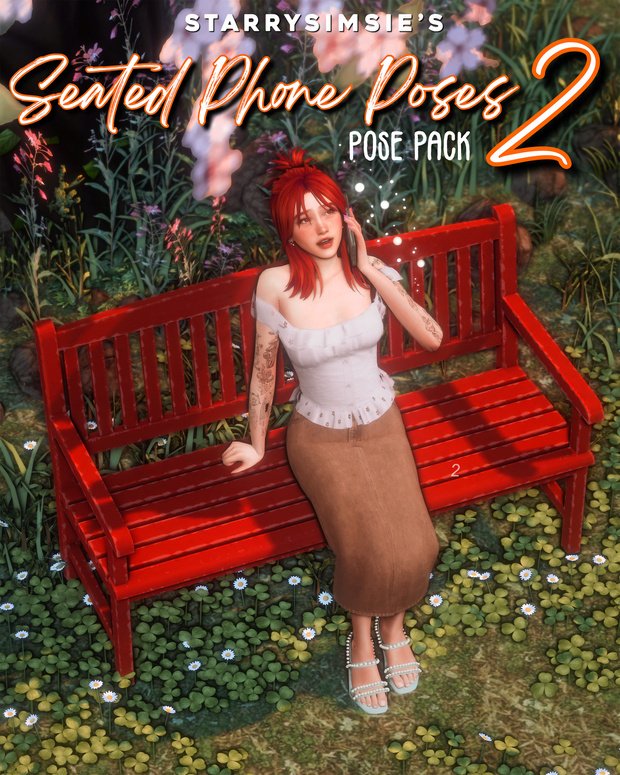
Seated Phone Call 2 is a useful pack for the quieter moments in a Sims story. It gives one Sim a range of phone-call poses while seated, making it easy to build a scene around catching up with a friend or hearing unexpected news. The creator lists several seating options, so you can use a bench outdoors or move the conversation into a living room without changing the scene’s basic idea.
Requirements and setup: 12 poses for one Sim. Requires the pose mod and teleporter linked by the creator, Natalia Auditore’s iPhone accessory and seating. The creator lists a chair, couch, bed edge or bench.
Original release: 2025-11-24 · Access: Free public download linked from the creator’s post.
View and Download from Creator
2. Lost In Thought Pose Pack
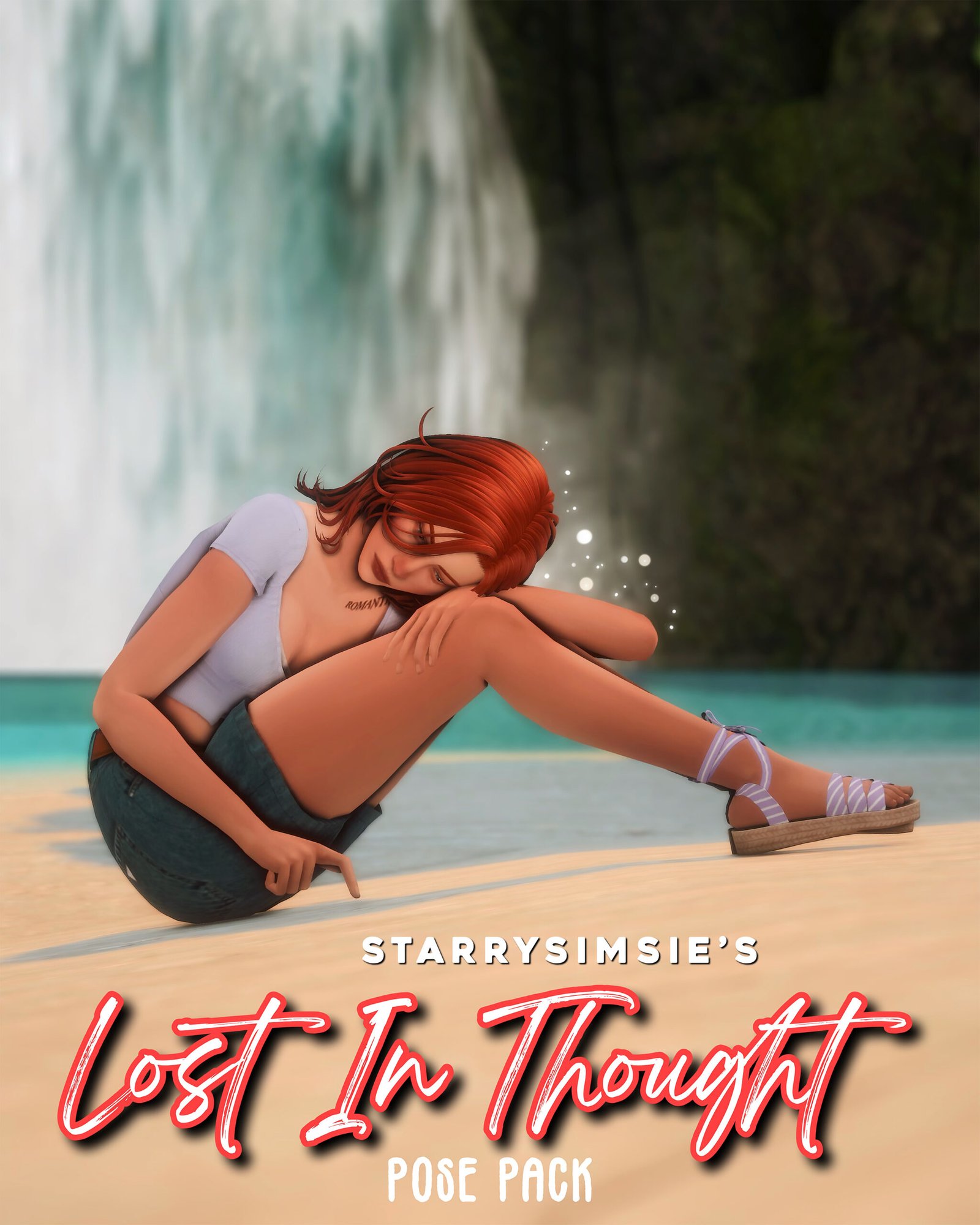
Lost In Thought gives a solo Sim a reflective moment away from the rest of the household. The ground-seated poses are a useful fit for a story pause, a difficult decision or a character who needs a little space. Try choosing a setting that supports the mood rather than filling the shot with extra props. This pack can also help vary a screenshot sequence that otherwise has everyone standing.
Requirements and setup: 10 poses for one Sim seated on the ground. Requires the creator-linked pose mod and teleporter; no extra accessory is listed.
Original release: 2025-10-27 · Access: Free public download linked from the creator’s post.
View and Download from Creator
3. Study Buddies Pose Pack
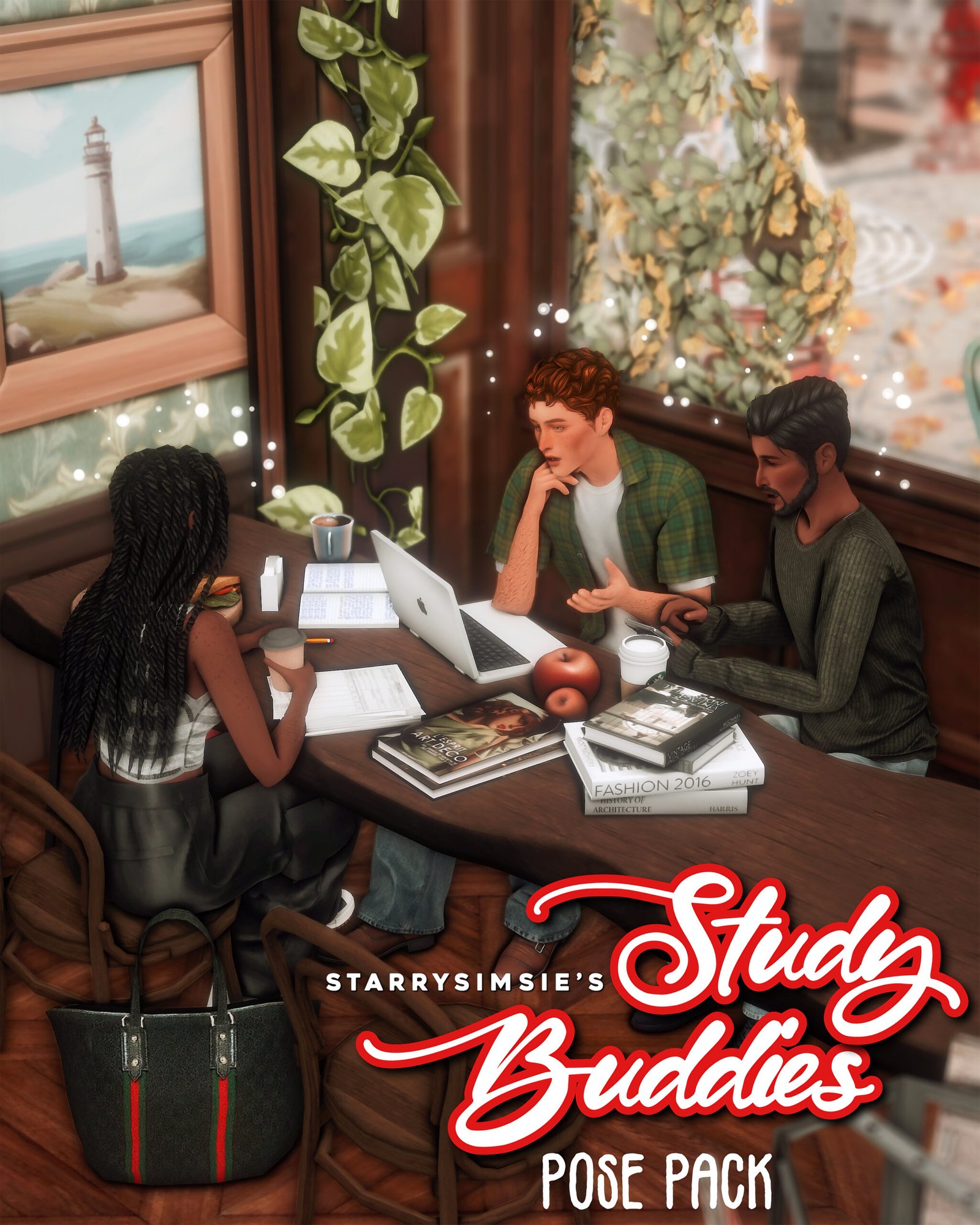
Study Buddies adds individual activities to a shared study scene. The pack includes poses for three Sims using different accessories, so the group can look occupied instead of repeating the same action. It suits homework screenshots, a university-inspired story or a café study session. Set up the chairs and props first, then place the teleporters as the creator directs so the hands line up with the accessories.
Requirements and setup: Requires the creator-linked pose mod and teleporter, coffee cup, laptop and Natalia Auditore iPhone accessories. The pencil accessory is included in the public download folder. Place the teleporter in the center of each chair.
Original release: 2025-03-08 · Access: Free public download linked from the creator’s post.
View and Download from Creator
4. Museum Date Pose Pack
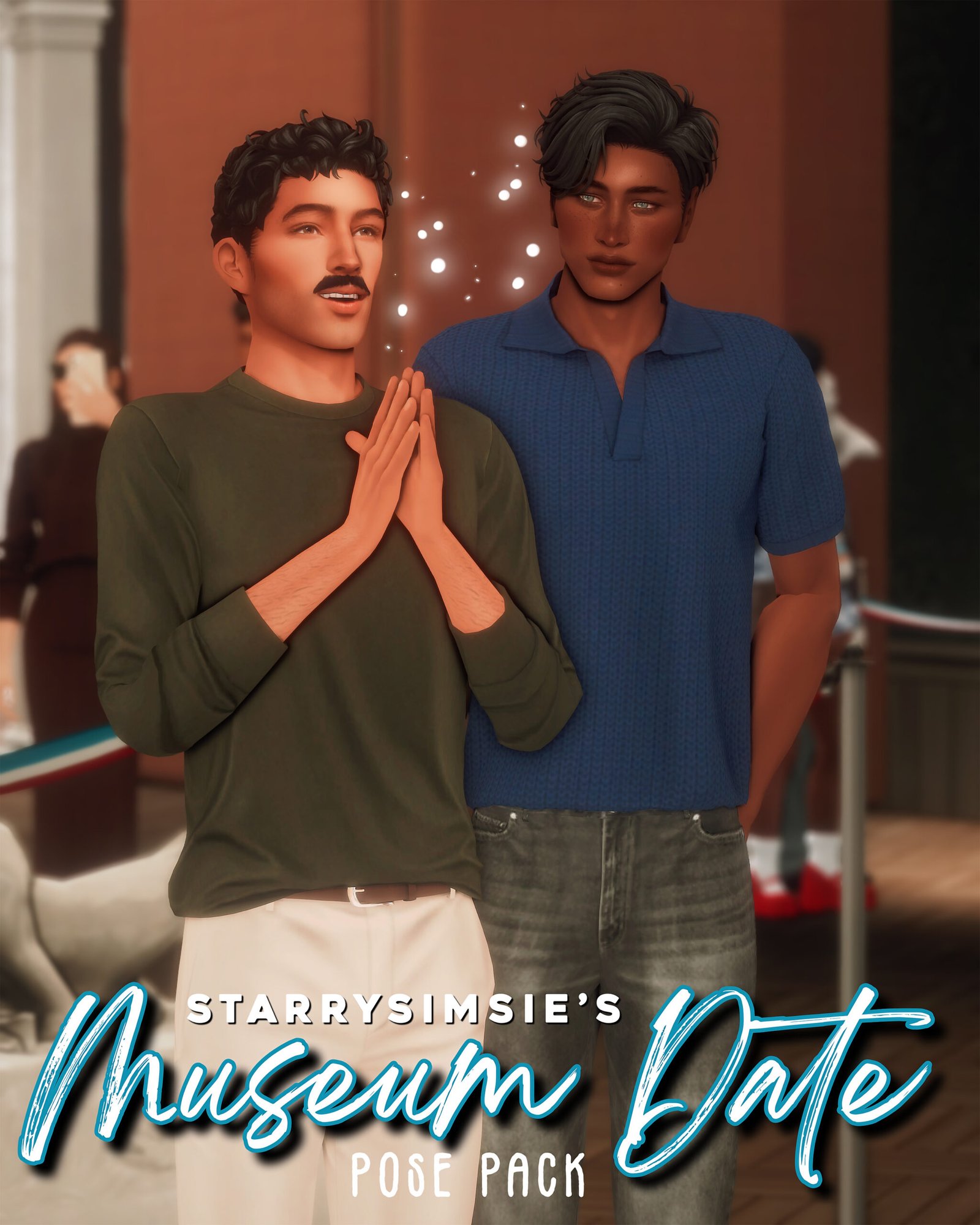
Museum Date gives a couple something to do together beyond a standard portrait. The paired poses and extra solo poses let you tell a small story as the Sims look around an exhibition. Use it for an artsy date or a quiet outing between friends, then change the camera angle to emphasize the exhibits around them. The museum shown in the creator’s preview is credited separately and is not part of the pose download.
Requirements and setup: Eight poses for two Sims, plus three solo poses. Requires the creator-linked pose mod and teleporter. The preview museum is by Begonia Builds.
Original release: 2025-06-07 · Access: Free public download linked from the creator’s post.
View and Download from Creator
5. Getting Ready MINI Pose Pack
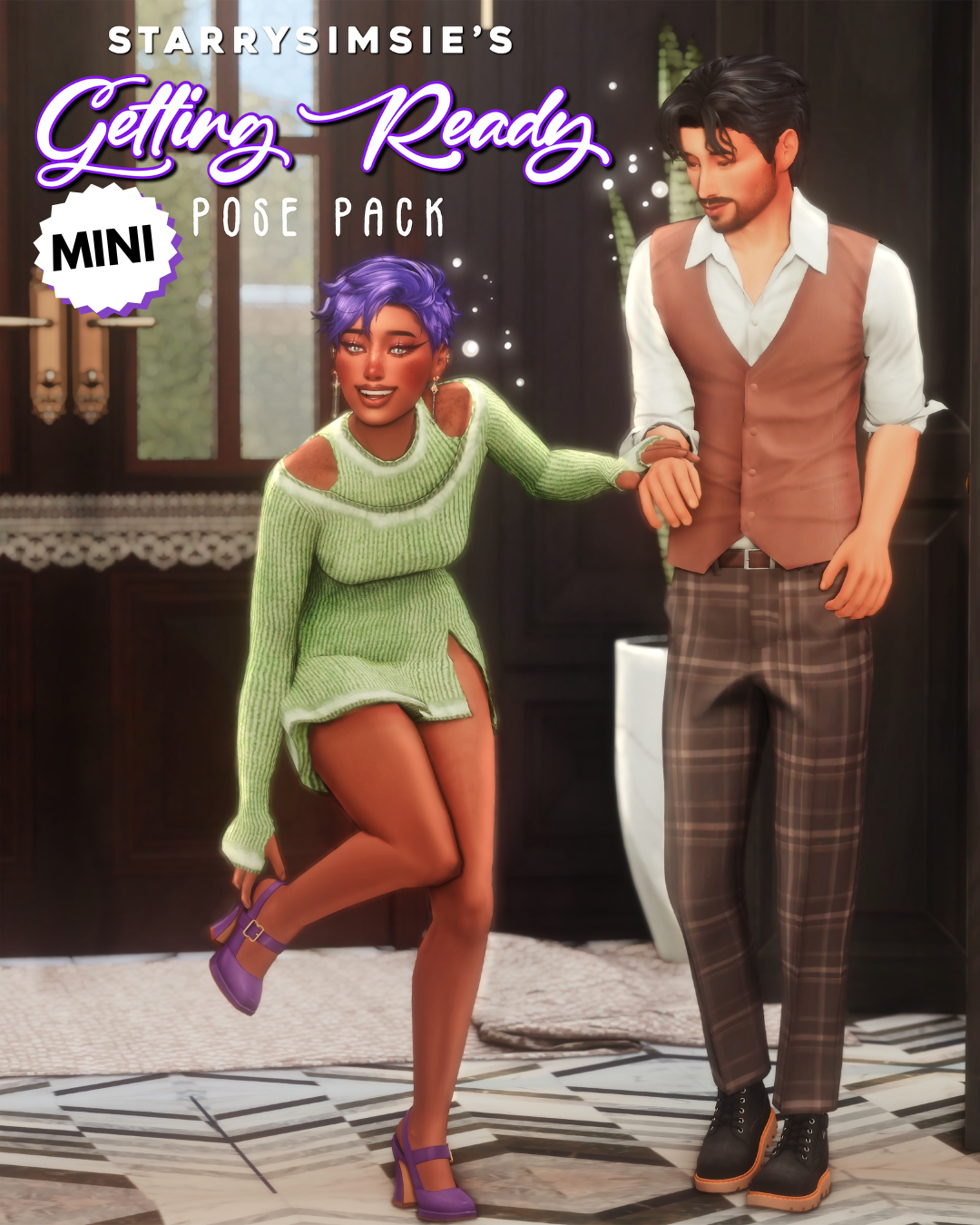
Getting Ready MINI focuses on the little gestures that happen before a Sim leaves home. Adjusting earrings, fixing shoes and helping a taller Sim with buttons give you useful details for a date-night or special-occasion story. You can build a short screenshot sequence around preparing an outfit instead of jumping straight to the finished look. It is a good option when you want the getting-ready moment to feel like part of the story.
Requirements and setup: Requires the creator-linked pose mod and teleporter. The creator describes earring, shoe and button-adjusting poses; no separate accessory is listed in the requirements.
Original release: 2023-12-21 · Access: Free public download linked from the creator’s post.
View and Download from Creator
6. You & Me Pose Pack
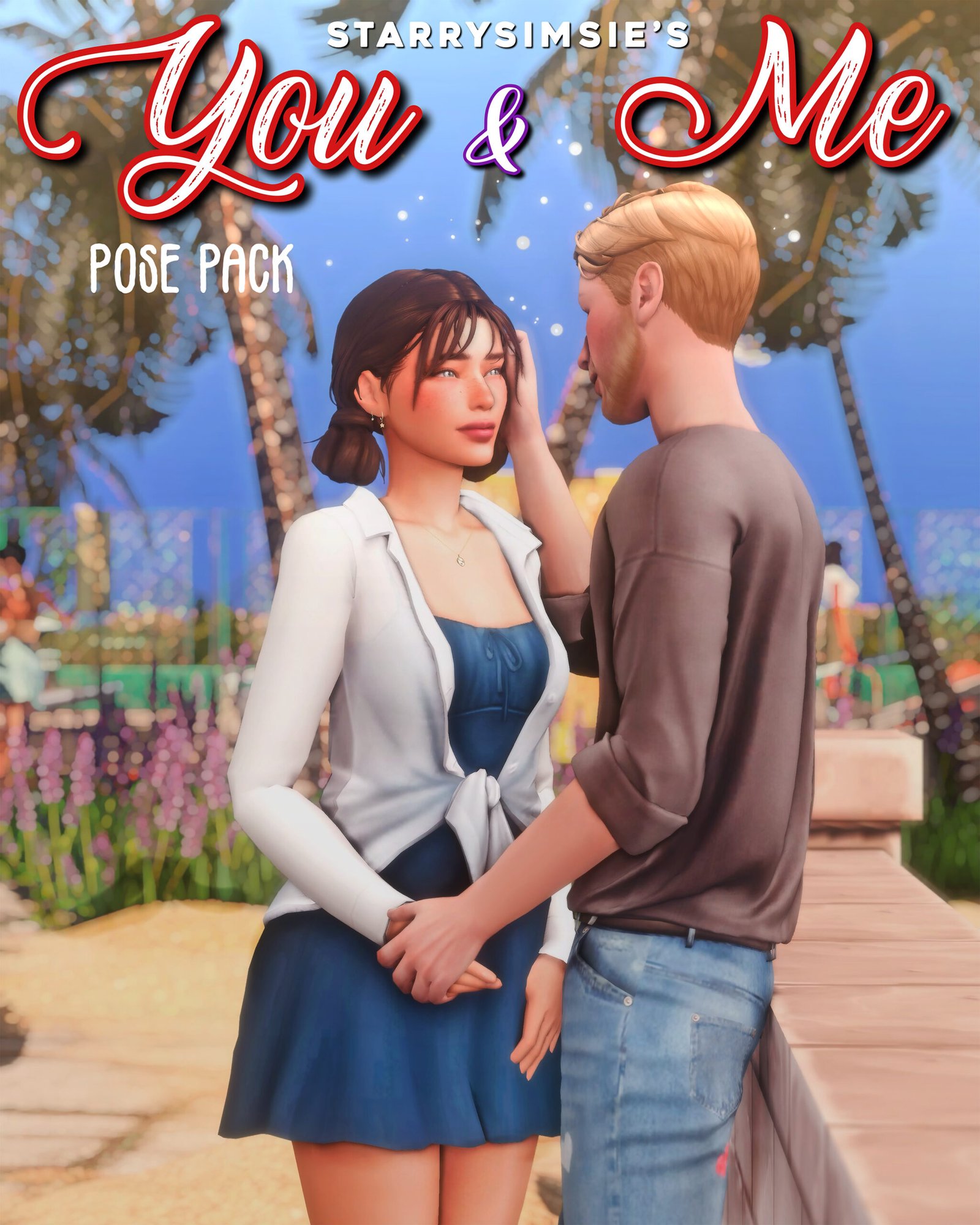
You & Me offers a larger selection of paired poses around a fence, giving you plenty of choices for a two-Sim scene. It is especially useful for an outdoor conversation or a relationship-focused screenshot sequence where you want several poses in one location. The base-game Small World Fence is the creator’s listed setup, so you have a clear starting point before adjusting the surrounding landscaping and camera framing.
Requirements and setup: 22 paired poses for two Sims, totaling 44 individual Sim poses. Requires the creator-linked pose mod and teleporter and the base-game Small World Fence, or a similarly square fence.
Original release: 2024-04-14 · Access: Free public download linked from the creator’s post.
View and Download from Creator
7. Time Together Pose Pack
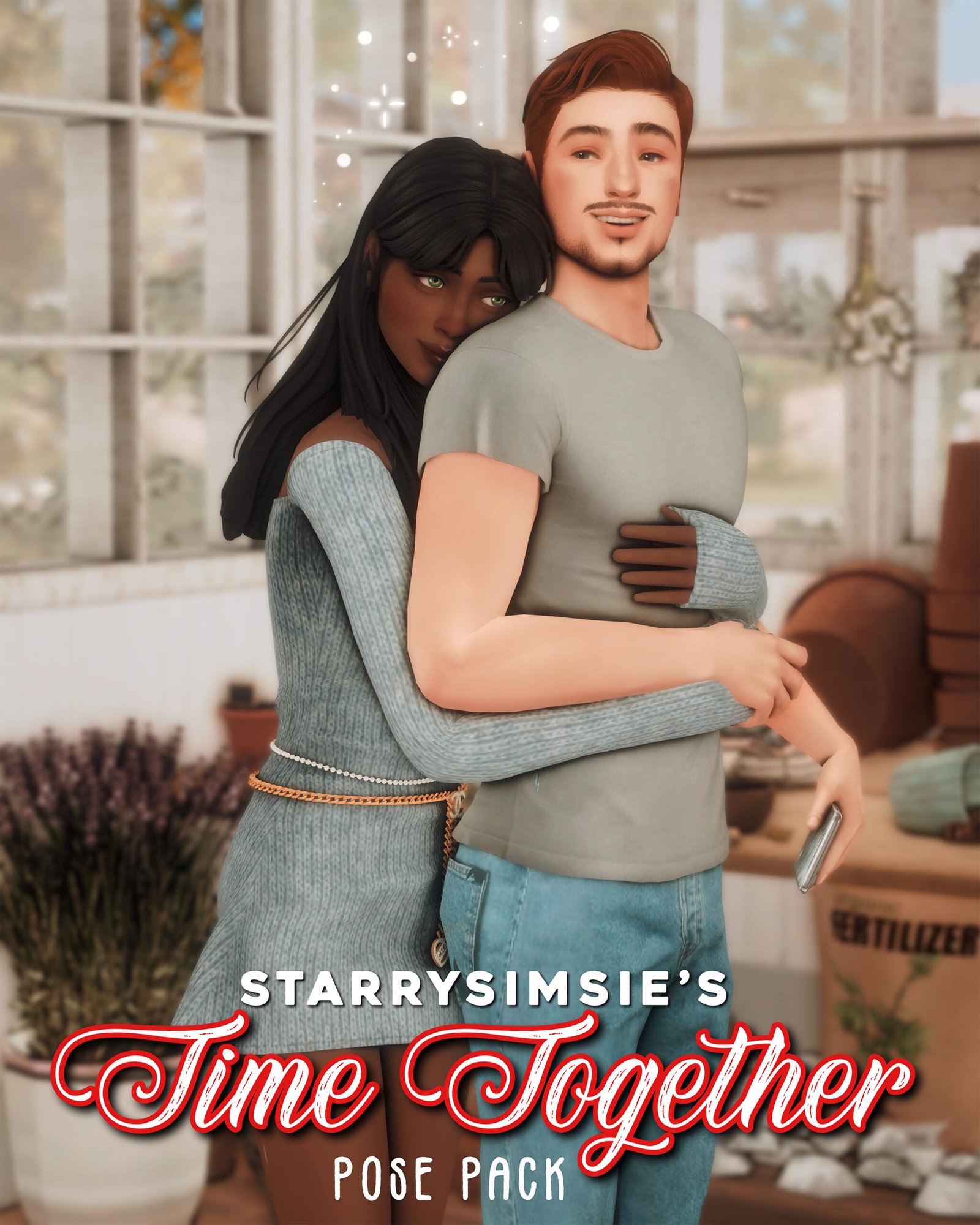
Time Together is a gentle couple pack for an everyday moment of closeness. It works well for a scene between bigger story events, letting the relationship come through in the poses rather than relying on an elaborate setting. The phone used in the first three poses adds another detail to plan around. Choose the pose that fits the moment, then keep your background simple enough for the Sims to remain the focus.
Requirements and setup: Requires the creator-linked pose mod and teleporter and Natalia Auditore’s iPhone accessory. The first three poses use the phone for the male Sim.
Original release: 2024-08-31 · Access: Free public download linked from the creator’s post.
View and Download from Creator
Before Using These Sims 4 Poses
Open the creator post for each pack and follow its links for the required pose mod, teleporter and accessories. Install the pose packages and any required accessories in your Mods folder, and follow the pose-tool creator’s instructions for script placement and game settings. Accessories such as a phone or coffee cup are separate downloads unless the post specifically says they are included.
Match the listed seating or furniture before positioning your Sims. StarrySimsie notes that some clipping can occur, so outfits, body shapes and furniture choices can affect the result. These are staged poses for screenshots; they do not add autonomous gameplay interactions. Requirements above come from the original posts, and current game-patch compatibility has not been independently tested here.
Keep the creator’s files for your own game and respect the terms linked on the source pages. Downloads stay with StarrySimsie and the original accessory creators. If you share screenshots, StarrySimsie welcomes a tag on Instagram.
Pick a Moment for Your Next Story
Start with one scene you want to capture, then choose the pose pack and props around it. A phone call, a study session or a small couple moment can give a screenshot sequence more variety without needing an entirely new setting. Which pack would you use first?