Sims 4 Barbie Sim Download | CC List & 3 Outfits
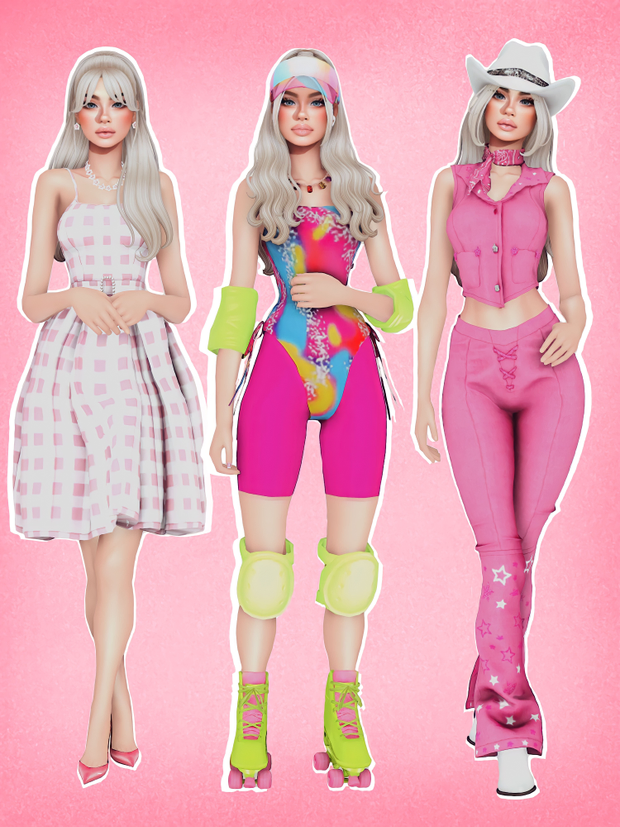
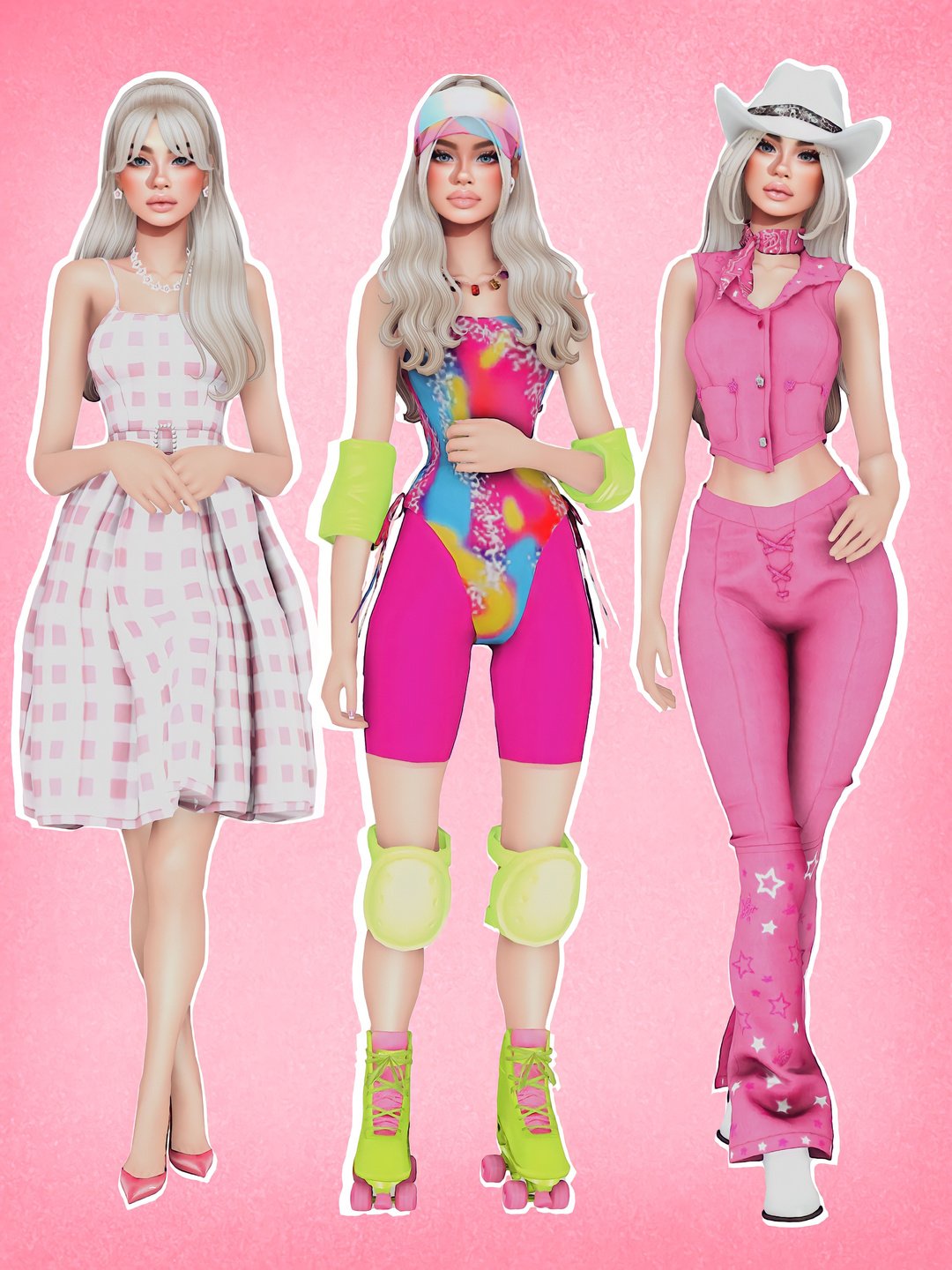
Looking for a Sims 4 Barbie Sim download? 💗 This Barbie-inspired character by Ladybugtrait brings a complete styled Sim to your Create-A-Sim collection, with three different outfits and a detailed custom-content list to help you recreate her appearance.
If you love creating fashionable Sims but don’t always want to start from scratch, downloading a creator-made character can give you a starting point for a new household. You can keep the original styling, experiment with different makeup, or change individual outfits while preserving the character’s overall look.
Ladybugtrait’s Barbie release includes three styled looks, with separate references for the genetics, clothing, hair, makeup, and accessories used to create the Sim. The creator provides a Barbie download and a separate CC folder option, but there is an important distinction: the Sim’s Tray download does not automatically include all the required custom content.
If you enjoy collecting complete Sims and CAS content, you can also browse more Sims 4 Sim downloads on GamingWithPrincess. For additional hairstyles, outfits, accessories, and individual creator releases, explore CAS CC on Sims4CCFinds.
You can also check our Sims 4 female clothing CC roundup for more fashion pieces to mix with Barbie’s wardrobe. If you’re creating an entire Barbie-inspired family, Sims4Kids has additional custom-content finds for infants, toddlers, and children.
Before installing this character, make sure to read the original creator instructions. The supplied CC folder specifically excludes the skin, so you’ll need to obtain that separately if you want to reproduce the creator’s complete appearance.
💗 Barbie Overview by Ladybugtrait
This Barbie-inspired Sim comes with three outfits and a linked CC list covering the custom content used in her appearance.
💗 VIEW BARBIE OVERVIEW & CC LIST
👗 Barbie’s Three Outfits
The creator organized Barbie’s custom content into three different outfit looks.
Outfit 1 – Dress Look
The first outfit’s CC list includes a hairstyle, dress, eyeliner, lipstick, blush, and shoes. This is the dress-focused look among the three outfits.
Outfit 2 – Roller-Skating Look
The second look includes a hairstyle, necklace, bodysuit and recolor, roller skates and recolor, lipstick, nails, AirPods, eyeliner, a hat and recolor, knee and elbow pads, a creator recolor, and biker shorts.
Outfit 3 – Additional Styled Look
The third outfit’s list includes a hairstyle, hat, outfit, lipstick, boots, and eyeliner. Visit the original overview to access the creator’s individual CC references.
✨ What About Barbie’s Genetics?
The creator also provides an extensive genetics and CAS resource list covering skin-related details, eyes, lashes, eyebrows, facial presets, body presets, and multiple sliders.
These additional files can be important when trying to recreate a downloaded Sim’s original appearance. Missing presets, skin files, or sliders may cause the character to look different from the preview.
Important: Ladybugtrait notes that the supplied CC folder does not include the skin because of Northern Siberia Winds’ terms of use. Refer to the original overview for the skin information and creator credits.
📦 Barbie Sim & CC Downloads
The creator has separate posts for the Barbie Sim download and the Barbie overview with the CC list.
Download the required CC from the creator’s references before expecting the Sim to appear exactly as shown in the preview.
📁 How to Install This Barbie Sim
Installing a complete Sim is slightly different from installing a normal piece of clothing CC because you may need both Mods files and Tray files.
Step 1: Download the Barbie Sim and required custom content from the original creator pages.
Step 2: Extract the downloaded ZIP archives.
Step 3: Place the included .package files into:
Documents → Electronic Arts → The Sims 4 → Mods
Step 4: Place the included Tray files into:
Documents → Electronic Arts → The Sims 4 → Tray
Step 5: Open The Sims 4, enable Custom Content and Mods under Game Options, and restart the game.
Step 6: Open your Library in-game and enable the option to include custom content when looking for your downloaded Sim.
⚠️ Important Download Reminder
The Barbie Tray files and the complete set of required CC are not the same download. Make sure you’ve installed the relevant clothing, accessories, genetics, and other required creator files before checking the Sim in CAS.
Also remember that the skin is excluded from the creator’s provided CC folder. Download it from its appropriate original source while respecting the skin creator’s terms of use.
💖 You May Also Like
Sims 4 Skin Overlays & Skinblends
Best Sims 4 Female Clothing CC